
Have you been looking for ways to increase your earnings on Free updates that doesn’t require much verification?. Self Referring can come in handy if you don’t have more people to refer.
Looting isn’t just a skill, it’s a desire for you to increase your earnings were others are getting token change. There are more benefits attached with Self Referral, advantages will always have some disadvantages.
Not all update are Lootable, self refer on some update can lead to account termination, thereby leaving you with nothing and wasting your efforts. Now, how do you know if you can self refer or not on any update? Keep reading.
What Are The Lootable Or Self Referral Updates
Lootable Updates are update which you can easily Self refer yourself depending on your self referring skills. Update that requires Human Verification like BVN, NIN are not always Lootable unlike update that only requires Mail Verification.
Most update will either require you to verify Number or Mail while some will mandate you to verify both. Any updates that mandate you to Verify Phone Number (OTP) excluding Mail, self referral can only be possible if you have multiple sim in your possession.
Also, Self Referral is possible on any update that only requires you to verify Email Address (OTP) excluding phone number verification. In some case, this type of update might not be Lootable if it has IP restriction enabled which is from the developer of the site mainly to restrict self referral.



Another way to Bypass update that easily detect when you Sign-up Multiple account on one device is to use Premium Strong VPN. These premium strong vpn will help you to change your location and inturn deceive the Developer thinking they are real referrals.
I believe with the above little information, you have been able to understand some things behind self Referral. Self Referring on update can be risky if you don’t observe or wait for go ahead instruction. I will always inform you on any update you can self refer on.
Tools Required To Self Refer Like A Pro
Below are the required apks needed for you to self refer on any paying update that’s Lootable;
An Apk Cloner — First thing that should come to your mind when you want to self refer is to Clone The Apk. This will give you access to run your main account on the normal apk and do the self referral on the cloned apk with Device ID, iMEI, etc Changed. Best apk for this is App Cloner Mod Apk.
Temporary Mails — Creating Multiple mails can be tiring, this is where Temp Mail Mod Apk or LuxusMail comes in Handy. As said earlier, update Lootable are mostly subjected to Mail Verification. On Temp Mail, you can get Free Temporary Disposable Mail which can also receive OTP for verification.
Strong VPN — This is helpful for any update with IP Restriction. You can buy Strong VPN Logins like Windscribe, IP Vanish, Nord Vpn or use the Free 3month Premium Free Avira VPN.
Different Browser — Some website Updates self referral can be hard to some extent that you will need different browsers to run it. There are different browser you can download on Playstore, among them are Chrome, Firefox, Opera, UC Browser, Phoenix, Incognito Browser, Via Browser, Mint Browser, Brave Browser, etc. You can search for more browser on Playstore.
How To Self Refer On Any Paying
In regardless of the type of update you are into, either Mail Verification Update, Phone Number verification update or ID Verification update. App Cloner will always work for all because it only duplicate the apk.
If you have multiple numbers, you can clone the update apk and use different number to register on each cloned apk in other not to leave any traces. For Face Verification update, you can also loot it if you have different people available to help you verify it.
Also, Mail update is the most flexible of all because you have Temp Mail and App Cloner available to use. Now, how do you use these apks?. I will be Explaining how to Clone Android application using App Cloner and also how to generate multiple emails below…
How To Use App Cloner To Clone Android Application
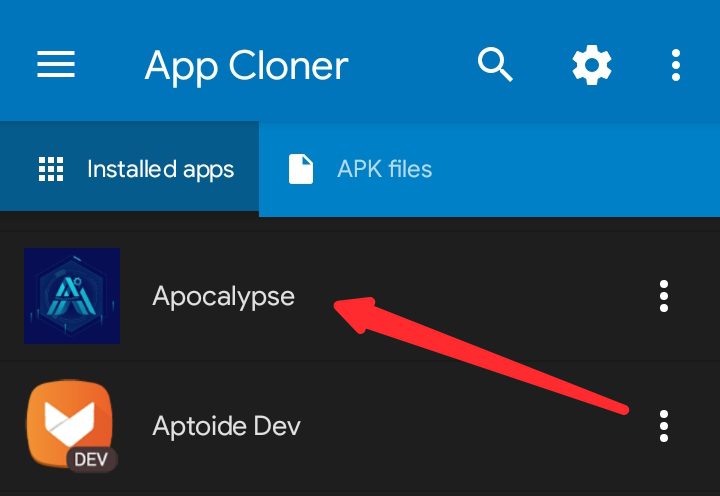
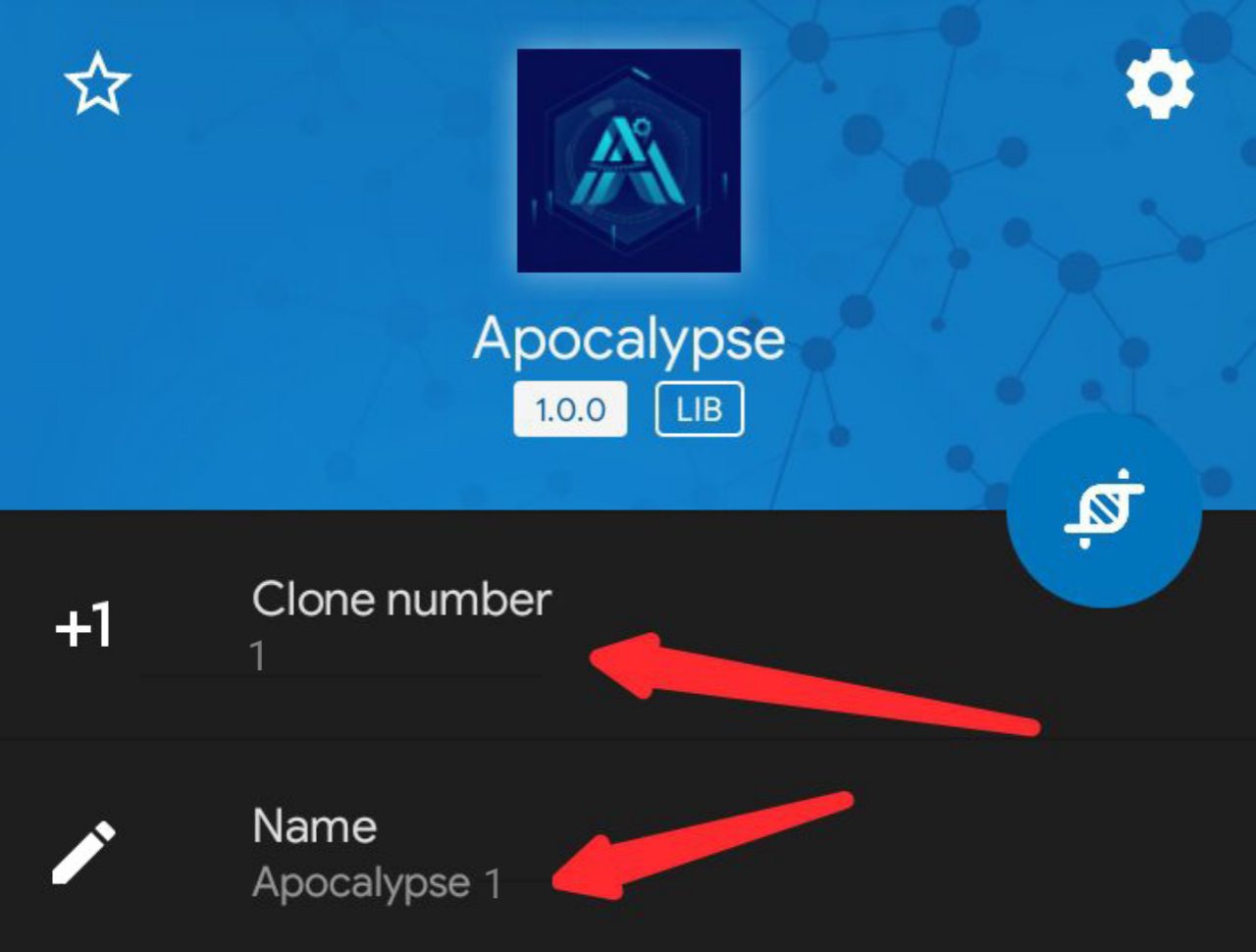
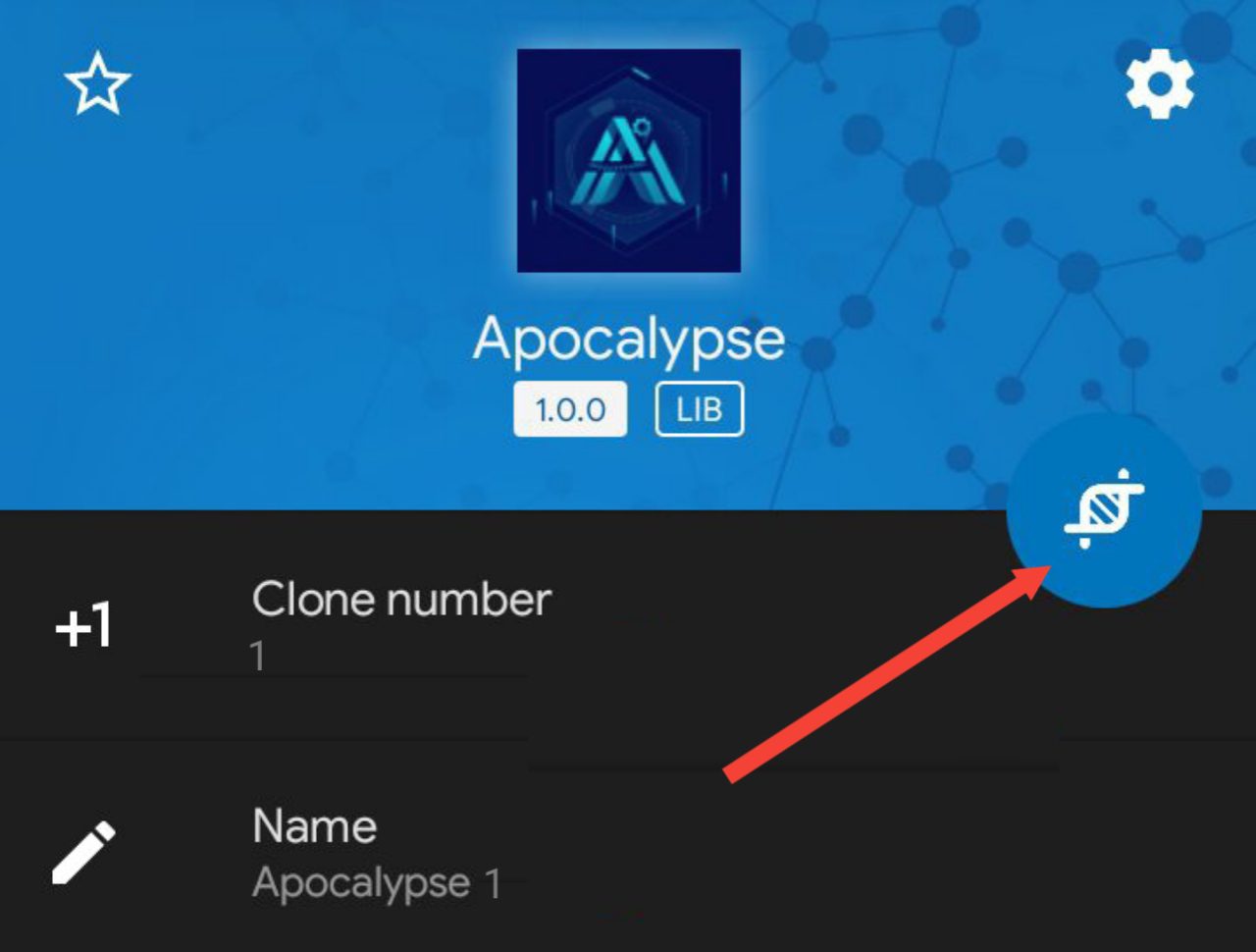
- For the Clone Number, if you enter 1, make sure the apk name have 1 on it (Like Apocalypse 1). If you want to clone another again, Clone Number should be 2 while the apk name should have 2 also like Apocalypse 2.
NOTE: To clone more, all you have to do is keep increasing the Clone Number respectively after each clone.
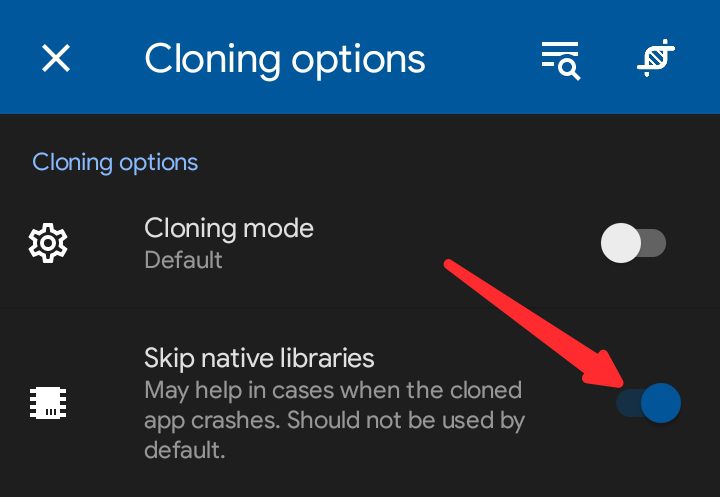
- Under Cloning Options, turn on Skip Lative Libraries and Ignore Updates.
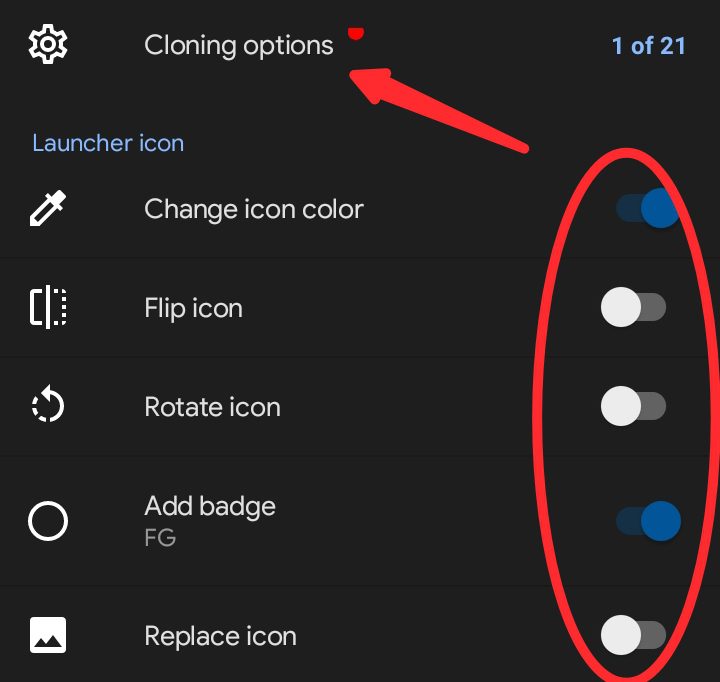
- Make Changes to Launcher Icon, like changing Apk Icon, Flipping Icon, etc if you want to.
Now, this is the main part to make the apk looks like it is on another device once installed by changing Device ID, iMEI/IMSI, Privacy Options, Storage Options if you want the apk installed on SD Card and many more.
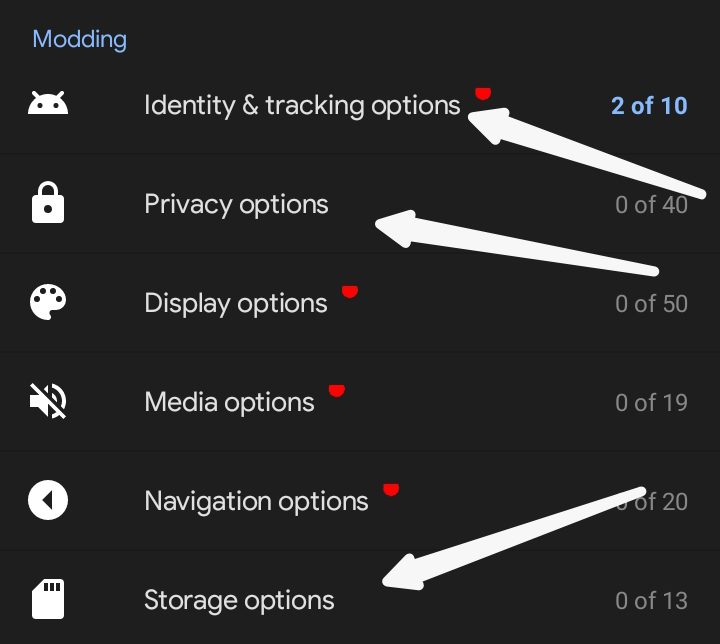
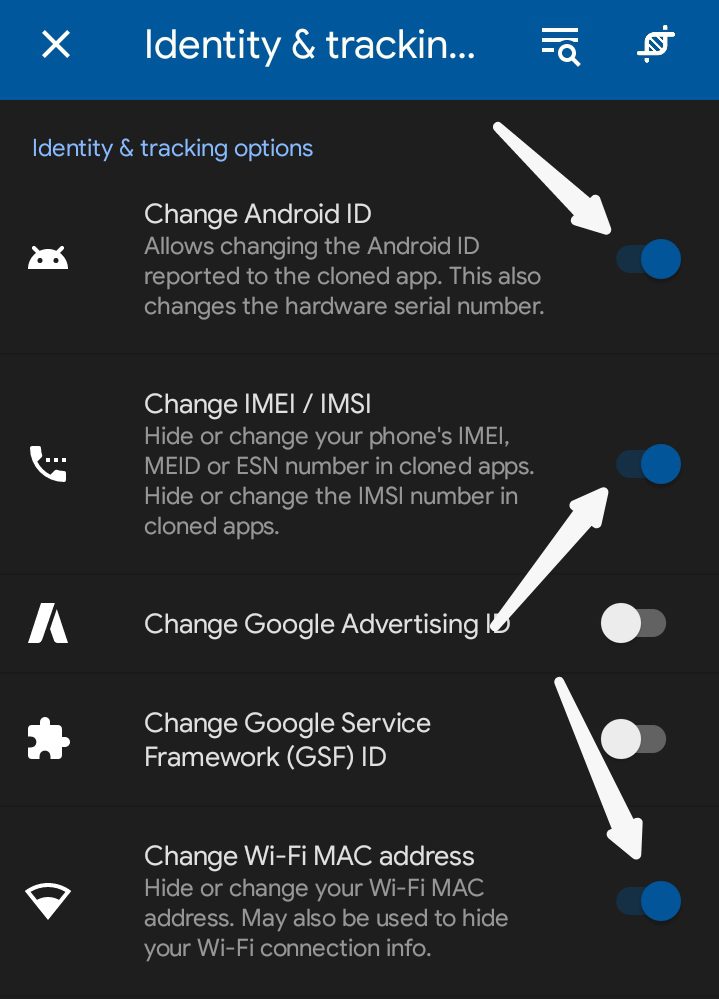
- Under Identity & Tracking, Turn on Change Android ID and Change lMEI/IMSI then select Random. You can also Turn On Wi-Fi Mac Address and select Random if you are connected to Wifi.
- Under Privacy Options, you can disable contact access, Call log or SMS access, etc.
- Once done, Tap on the App Cloner Logo to clone the apk then install once cloned. To duplicate the apk again, just rename it and keep Cloning.
NOTE: There are some apps you can’t clone with App Cloner like AliExpress, Dana, eBay, Evernote, GCash, etc. You can Check App Cloner Official Page for apps that can’t be cloned.
How To Use Temp Mail To Receive OTP for Verification
⚠️ It’s not advisable you use Temp Mail for update That will later send you reward via mail. Haven taken note of this, you can proceed…
- Download Temp Mail Mod Apk HERE. Search for Temp Mail on Apple Store if you are using iOS.
- Open the apk after installation and click on the Cancel ✖️ Button at the top left corner.
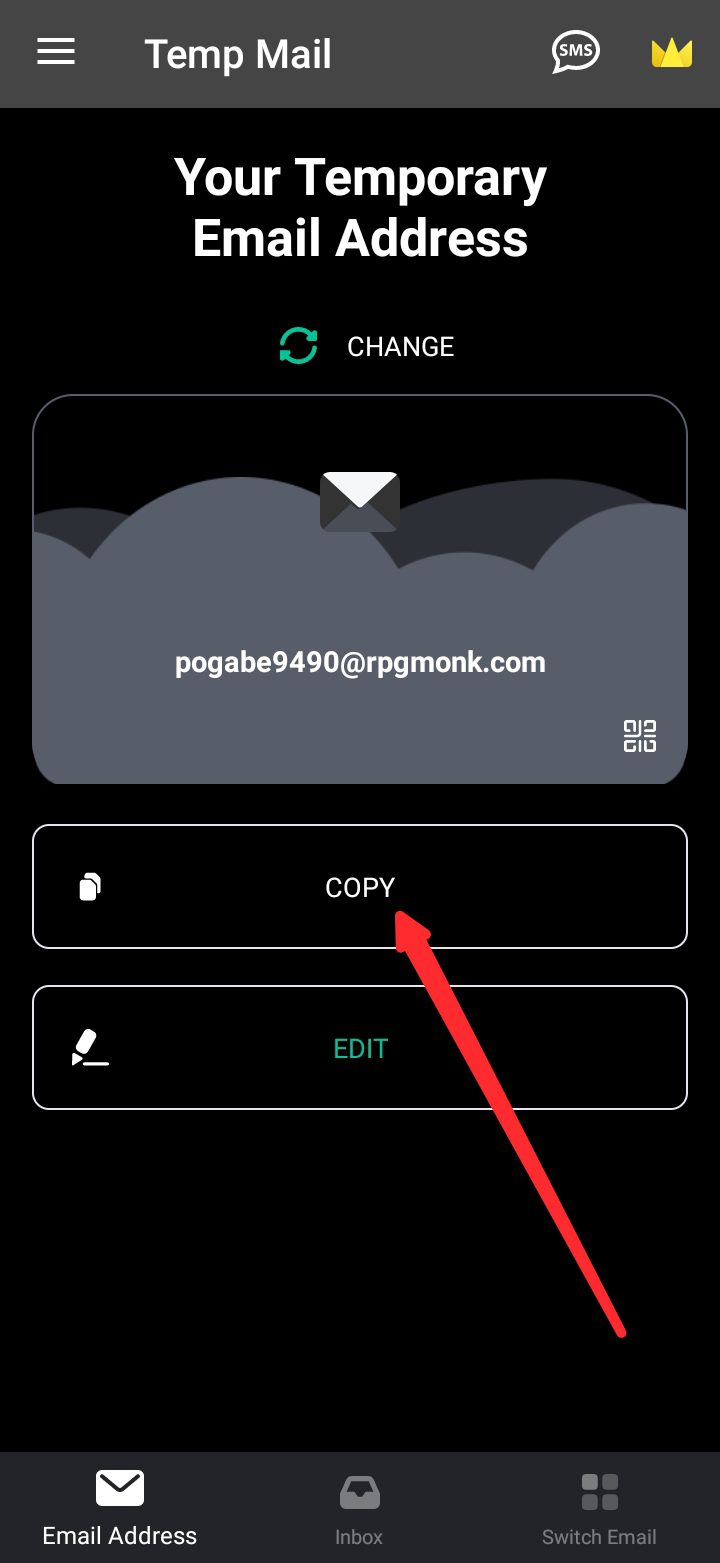
- On the apk homepage, you will be given a default temporary mail, copy it and paste on the website or apk you want to use it.
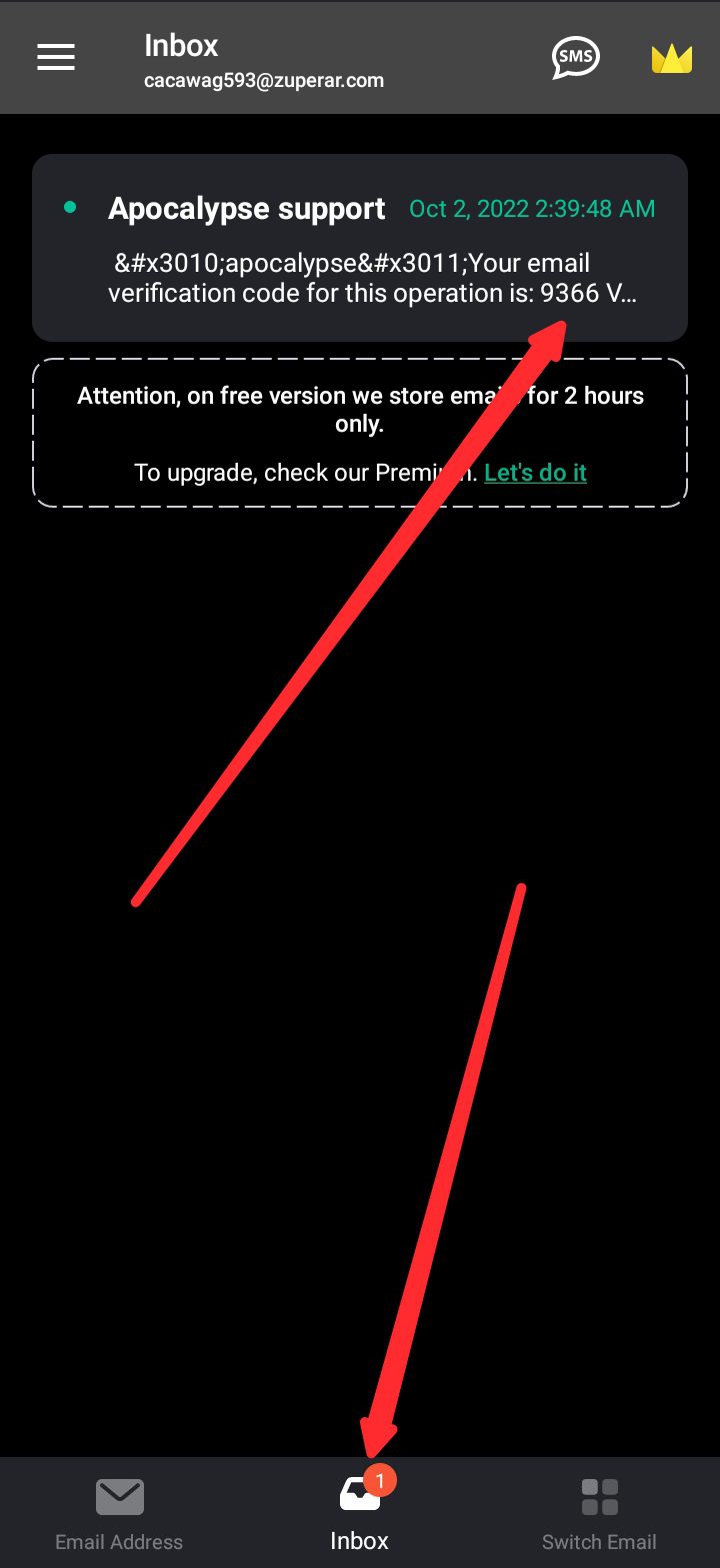
- To see the OTP sent to the mail, tap on the Inbox Icon 📥 at the Buttom Middle of the apk the refresh to get your otp.
- You can dispose the mail to get another fresh mail for verification by clicking on Change then select yes to dispose the current mail and get a new mail.
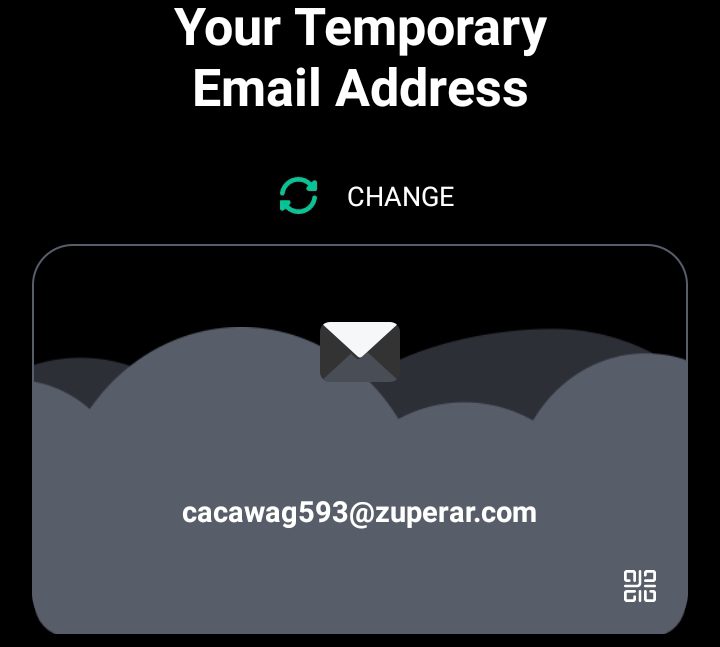
NOTE: Do not use Temp mail for your main account or any account that is important to you. The reason is that you won’t have access to receive otp once you dispose the Temporary mail.
Advantages & Disadvantages of Self Referring
The advantages attached to self referral is that you will be able to increase your earnings within short period of time. It will reduce you of stress from trying to share out your link in other to get referrals (But good if you build your team other than self referring).
While the Disadvantages is that your main account might be terminated and your earnings will be lost if the platform or apk you are referring on detect fake referrals. That’s why i said not all update are available for self referral.
In these case, always wait for me to say You Can Self Refer before you go ahead and use this method in other not to be at a lose end.
Conclusion
Making money online is mandatory, getting people to register with your referral link can be so tiring. The combination of App Cloner, Temp Mail and Paid VPN will give you the ability to self refer like a pro.
Want to stay updated? Tap the below buttons to join our members now.


Do you have any issues with this post? Use the comment box below to report any issues related to this post, including broken links, and you will be replied as soon as possible. You can also contact us on telegram.