
While watching videos in non-native languages, we always use subtitles to comprehend the content. But most of us don’t know how to activate subtitles on our device. The easiest solution is to use MX Player Pro or VLC Pro as it has inbuilt subtitle support.
You will be guided below on how you can download or load subtitle file on both MX Player and VLC Player with ease..
How To Download Subtitle For Movie On MX Player
- Download MX Player Pro Mod Apk Above or HERE
- Open App after installation
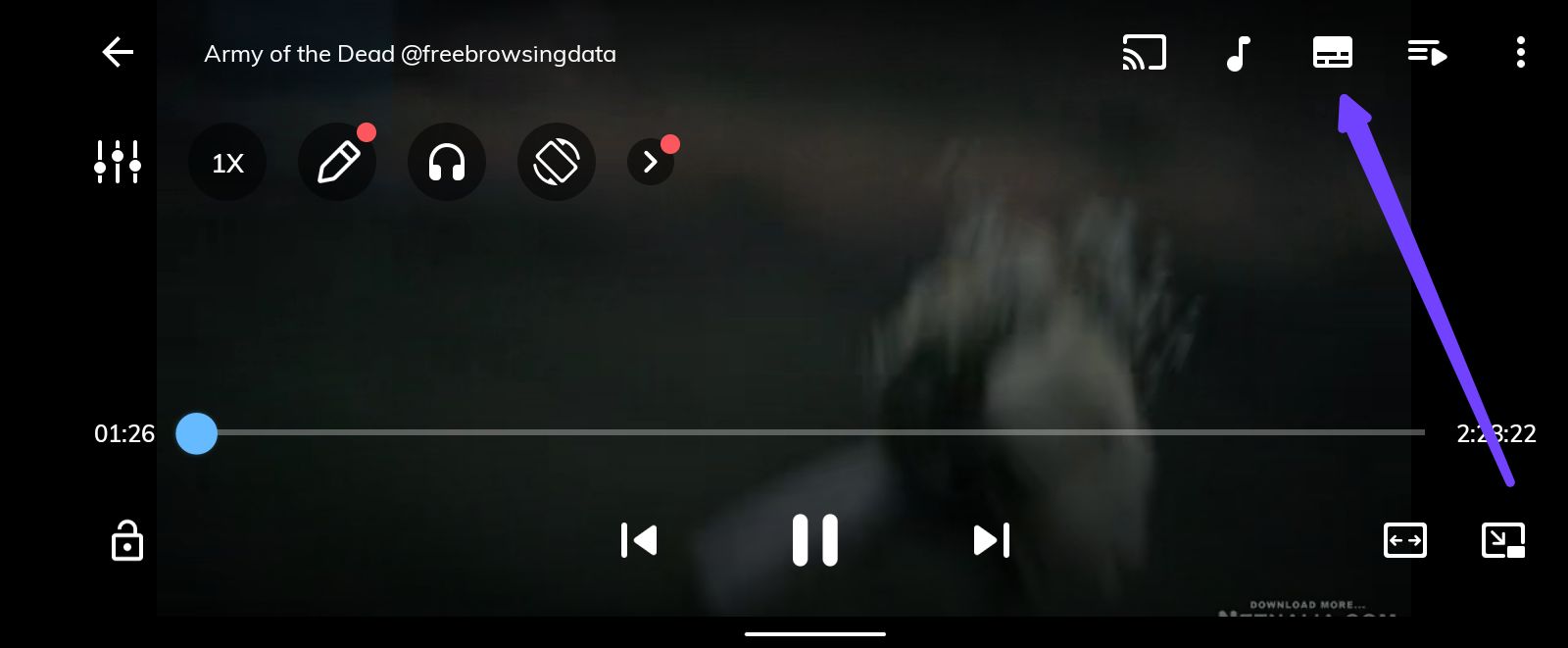
- Play the movie you want to download subtitle for
- Tap on the icon as indicated in the screenshot below
- After that, tap Online Subtitles

NOTE: Make sure your data is on
- Then tap on search

- Tick the box before Enter your search text
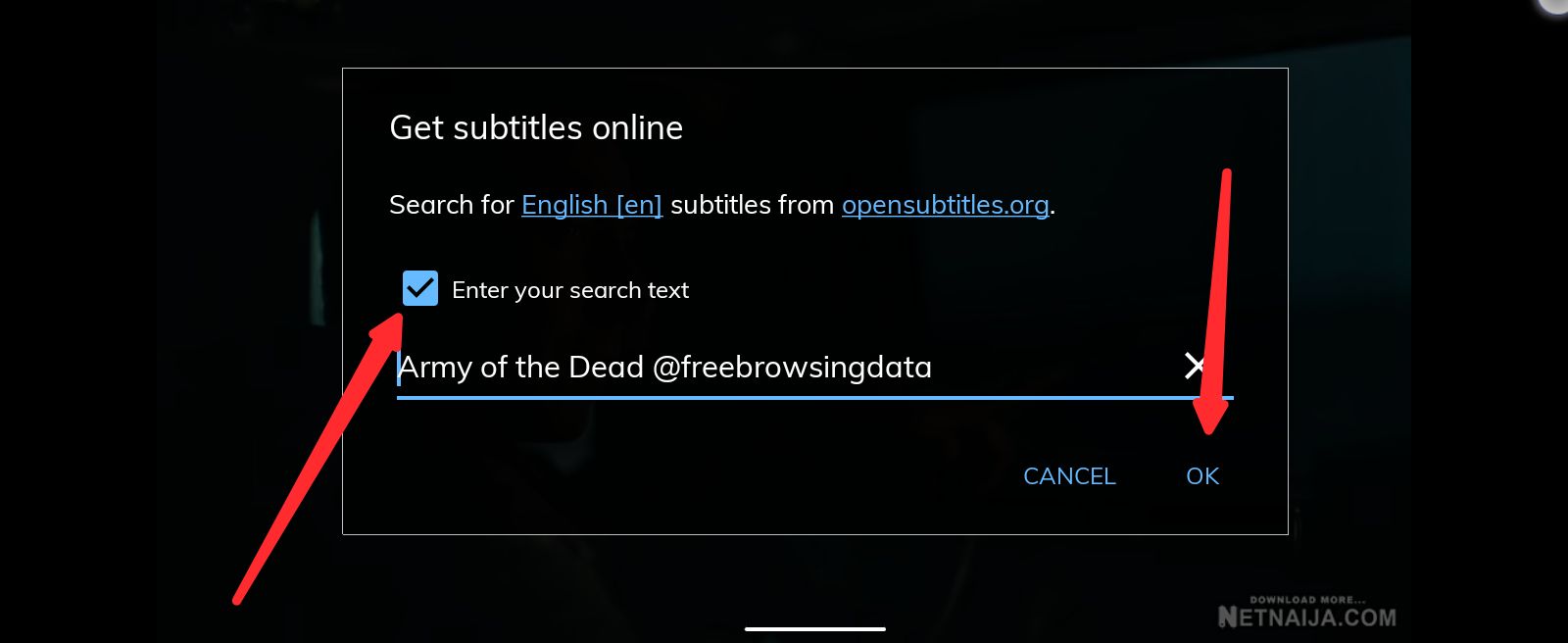
- Then tap OK
MX Player will then search for the available subtitle file online and gives you various subtitle file to the movie for you to select.



- Select the subtitle file you wish to download and tap DOWNLOAD

- MX Player will automatically load it for you.
How To Load Subtitle File On MX Player
- Download MX Player Pro Mod Apk Above or HERE
- Download the subtitle file you want to load and take note of the folder your downloaded file saved to
- Open MX Player and Play the movie you want to load subtitle for
- Tap on the icon as indicated in the screenshot below
- After that, tap Open

- Look for the subtitle file you downloaded and tap on it
- It will load it automatically
How To Download Subtitle For Movie On VLC Player
- Download VLC Player Pro Mod Apk Above or HERE
- Open App after installation
- Look for the movie you want to download subtitle for and play the movies
- Tap on the icon indicated in the below screenshot

- Tap on subtitle
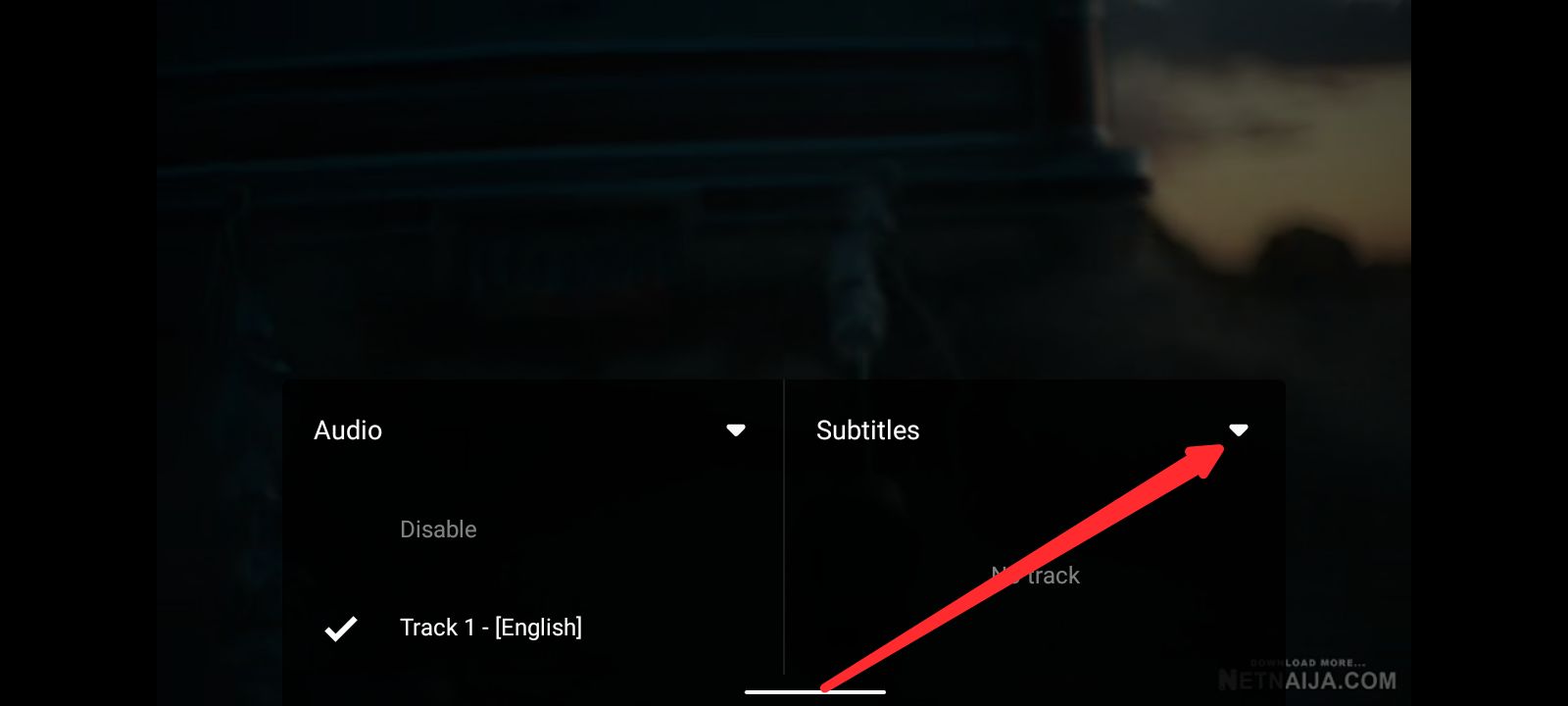
- After that, Tap Download Subtitle

NOTE: Make sure your data is on
- After that, the subtitle will begin search or you can tap on the search button to enter the subtitle name, season and episode
How To Load Subtitle File On VLC Player
- Download VLC Player Pro Mod Apk Above or HERE
- Download the subtitle file you want to load and take note of the folder your downloaded file saved to
- Open the App and Look for the movie you want to load subtitle for and play the movie
- Tap on the icon indicated in the below screenshot

- Tap on subtitle
- After that, tap Select Subtitle File
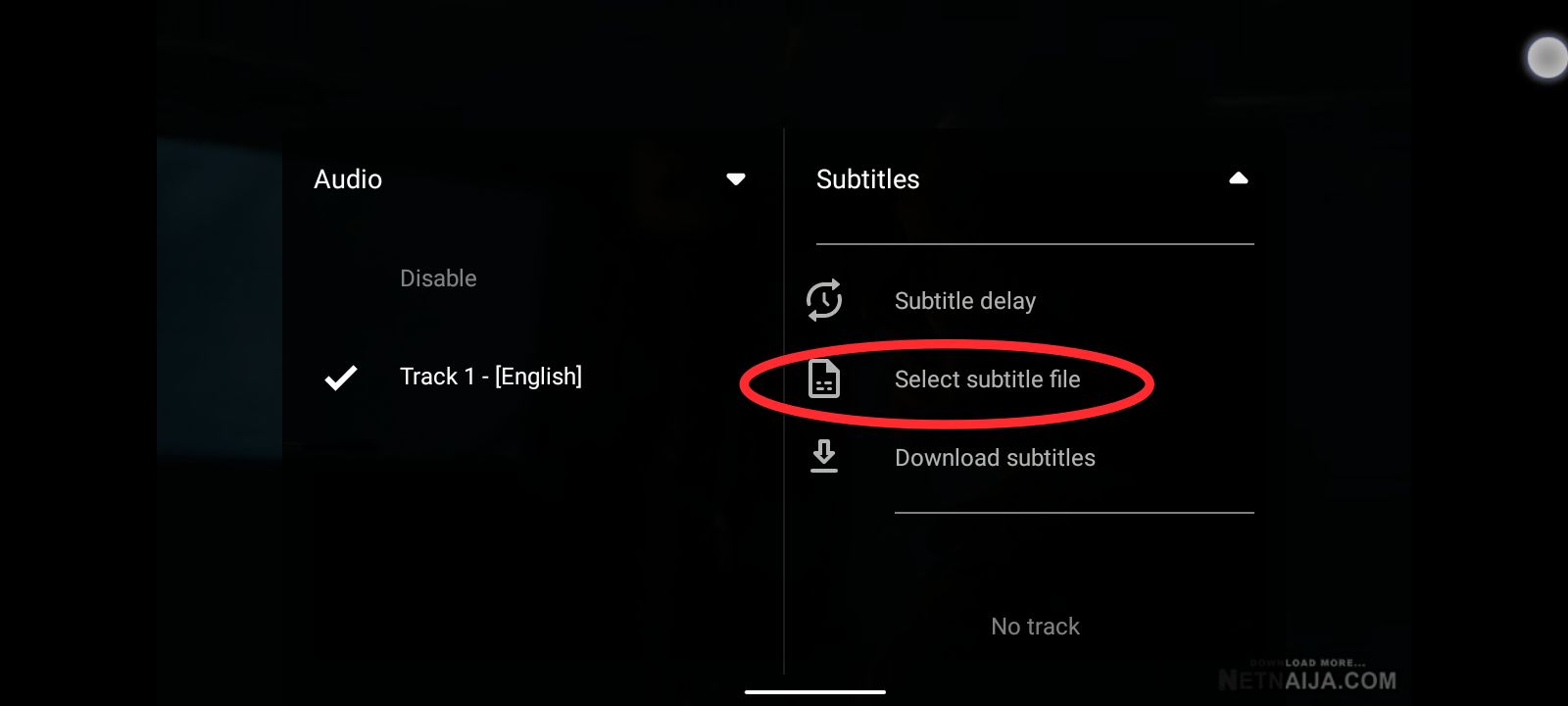
- Look for the subtitle file you downloaded and tap on it
- It will load it automatically
Want to stay updated? Tap the below buttons to join our members now.


Do you have any issues with this post? Use the comment box below to report any issues related to this post, including broken links, and you will be replied as soon as possible. You can also contact us on telegram.