
MTN 50mb daily Free Browsing Cheat has been trending since may/June using various Vpn to activate the cheat like STARK VPN, 24 clan vpn, Etc.
Today, I will be showing you how to enjoy MTN 50MB DAILY DATA on your android device and also how to share the data with hotspot to other devices like Android, iOS, PC, etc
REQUIREMENTS
- Android Device
- Mtn 0.0kb SIM ( Sim without data)
- Ha Tunnel Plus Vpn | Download Here
- Ha Tunnel Mtn 50mb Daily Configuration File | Download the zip file below
NOTE: The Configuration File you are about to download below has no expiring date unless if blocked. Join our Telegram Channel to get another free browsimg cheat on all network


 NOTICE
How To Activate MTN 50mb Daily Free Browsing Cheat Using Ha Tunnel Plus VPN
[su_button url=”https://mediafire.com/file/0ysbcjgy71vm7n5/%25F0%259F%25A7%2591%25F0%259F%258E%2584-%25F0%259F%2587%25B3%25F0%259F%2587%25AC_MTN_50mb_Daily_-_%2540freebiestech.hat/file” style=”flat” background=”#078b2d” size=”6″ radius=”10″ icon=”icon: file-text-o”]Download Smile Unlimited[/su_button]
- After you have downloaded the vpn and the configuration file,
- Open Ha Tunnel Plus Vpn
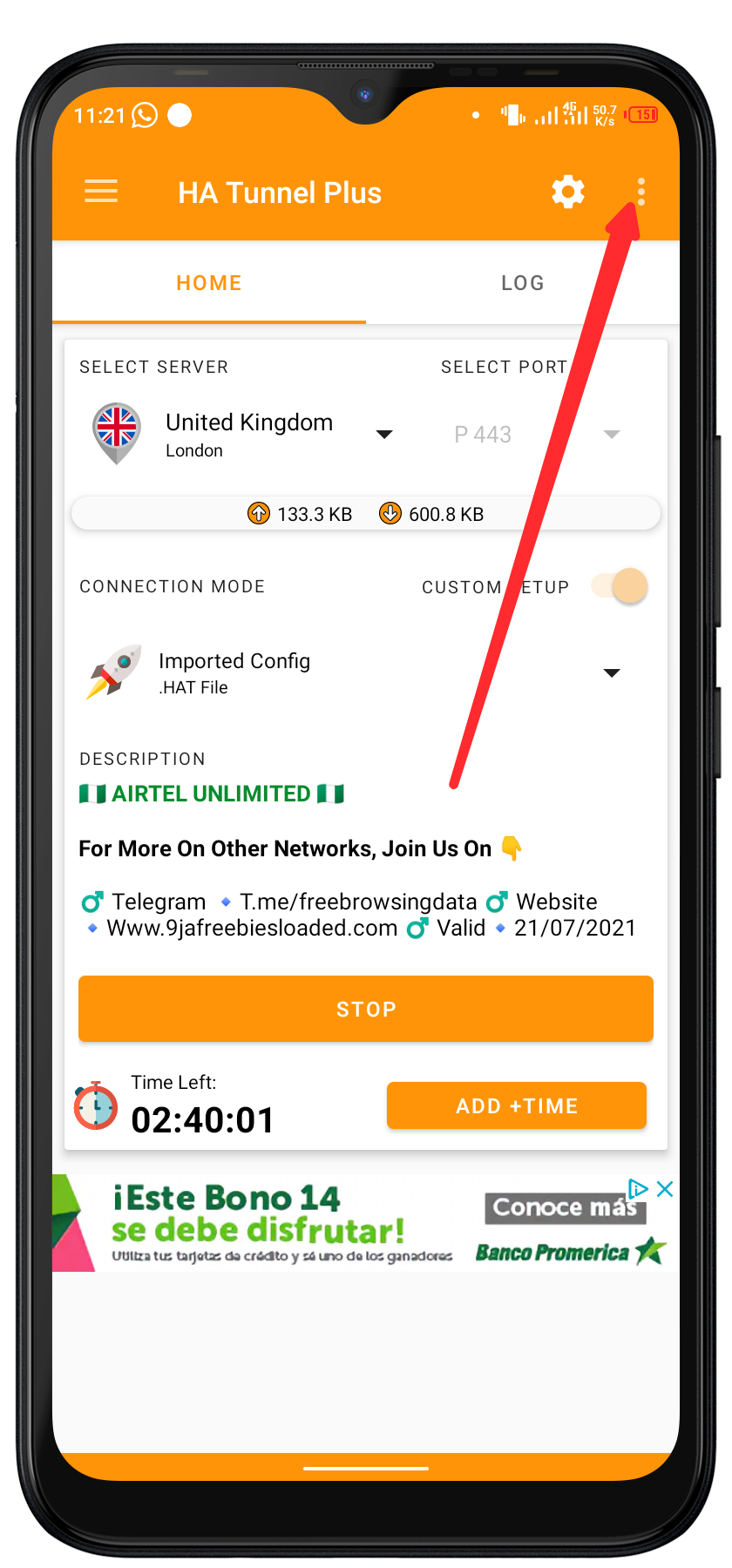
- Tap on the THREE DOT at the top right corner of the vpn

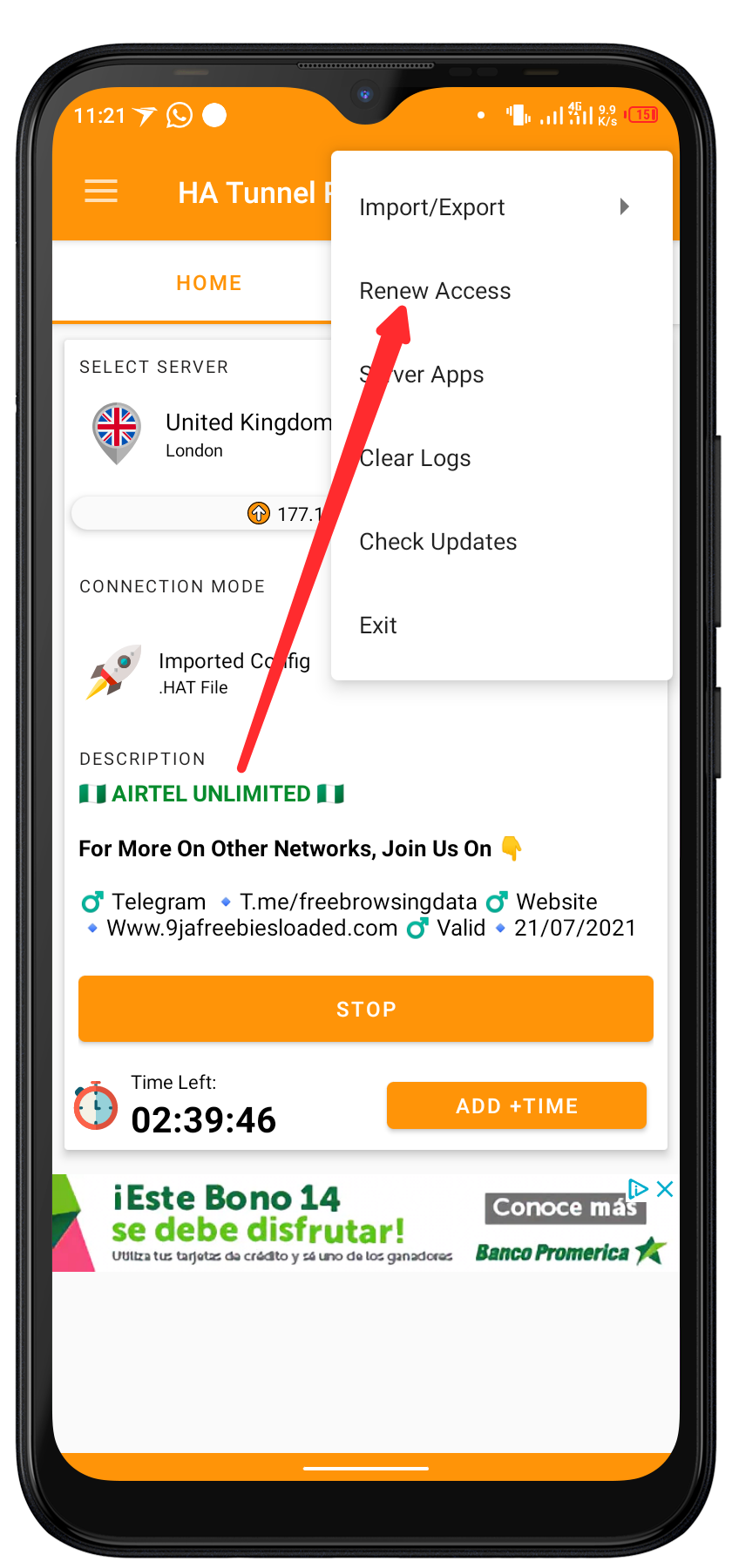
- Tap on IMPORT/EXPORT
- Tap on IMPORT CONFIG
- Go to the folder you export the zipped file to and import the mtn 50mb daily configuration file


- After successfully importing, tap on START
- Wait for few seconds for it to connect then minimize the vpn and enjoy but before doing that…

NOTE: You will notice that once you start the vpn and it connected, it will tell you 30 min left. Once the times runs out, the vpn will stop connecting. To add more time to the vpn, check below…
Yours Will be 30min

How To Add More Time On Ha Tunnel Plus Vpn To Increase Connection Time
- On the vpn after you have connected successfully, Tap on the three dot at the top right corner of the vpn
- Tap on RENEW ACCESS
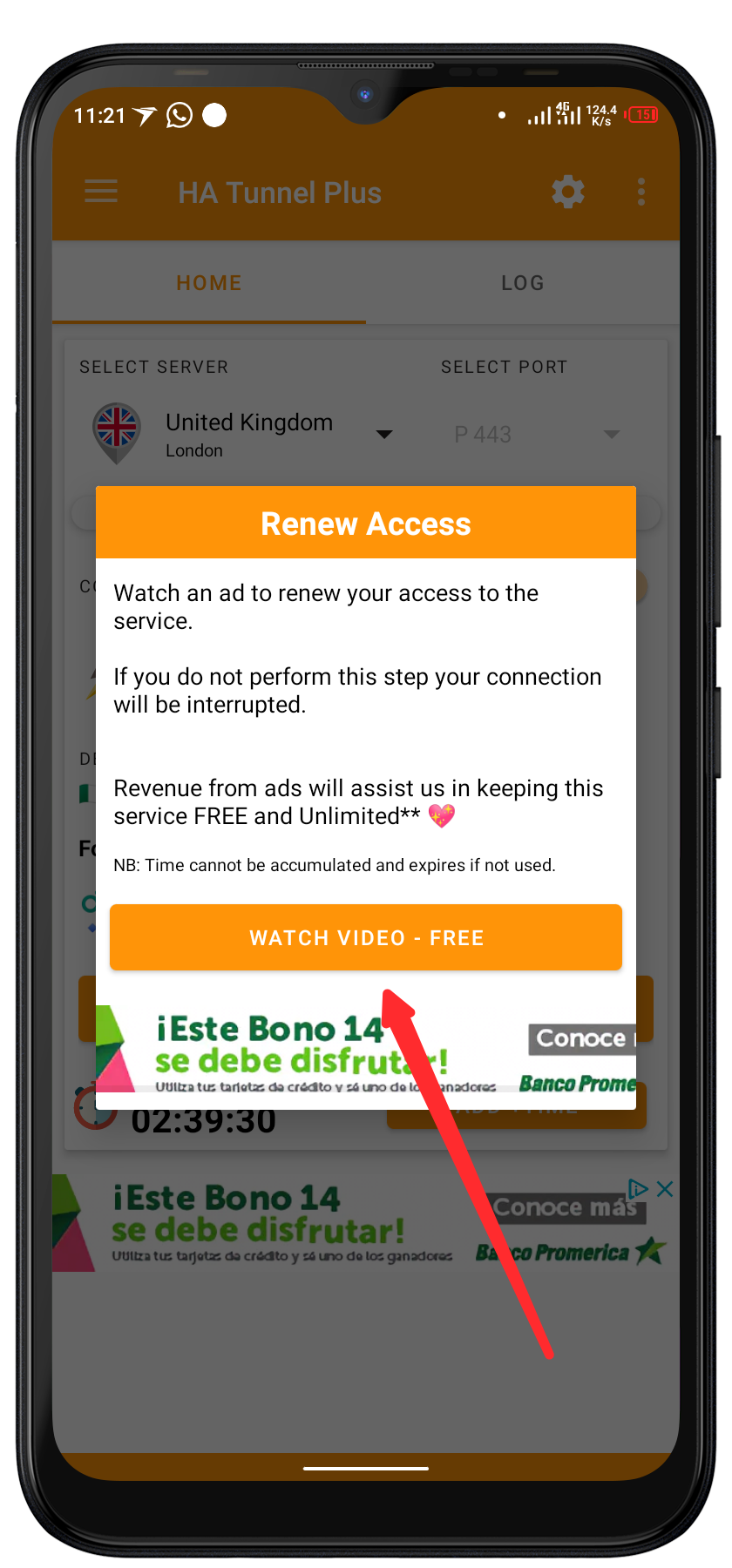
- Then tap on WATCH VIDEO – FREE
- Watch the Ads to the end until you see THANKS FOR SUPPORTING US
- Then Cancel the Ads, It will give you 6 hours connection time more.
- To add more 6 hours, Repeat the process
- Minimize the app and enjoy once you are satisfied with the time you added
How To Fix Ha Tunnel Vpn Not Connecting Or Disconnecting On Your Device Frequently
- On Airplane Mode on your device and OFF it back
- Open Ha Tunnel Plus Vpn
- Tap on Port and change it to 443 if its in 80 and 80 if its in 443
- Try to connect, if it still refuse to work…
- Tap on server and keep changing the server and trying untill it connected
To fix the disconnection issue, Allow ha tunnel plus vpn to work in background through your phone settings under application and also go to more connection under your phone settings, tap on vpn, tap on ha tunnel plus and ON ALWAYS ON VPN for it.
How To Share Ha Tunnel Plus Vpn Connection With Hotspot
To See How To Share Your Vpn Connection To Other Devices, TAP HERE
Want to stay updated? Tap the below buttons to join our members now.


Do you have any issues with this post? Use the comment box below to report any issues related to this post, including broken links, and you will be replied as soon as possible. You can also contact us on telegram.