How To Clone Android Apk – Make Use Of Two Same Android Apk On One Device

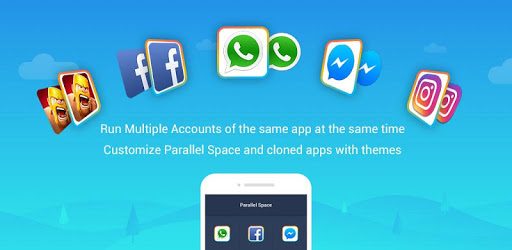
If you are wondering how to log in to many different social media
accounts simultaneously, I would like to introduce you to a practical
application.
Do you have multiple social media accounts that need to be managed at
the same time? What about two or more mobile game accounts that you want
to utilize on a single device? If so, it looks like you are in need of a
multitasking application. One that can open all of these different
accounts at the same time.
With this guide, i will be explaining to you how you can Clone Android Apk and make use of two Android applications on your Android device. With this clone Apk, you can clone any Android application and Also add a Shortcut of the cloned Apk to your device Home Screen for easy use.

REQUIREMENTS
- Android Device
- Parallel Space Mod Apk || Download Below
[su_button url=”https://freebiestech.com/Parallel-Space-Pro-Mod-Apk/” style=”stroked” background=”#078b2d” size=”7″ center=”yes” radius=”6″ icon=”icon: download”] Download Parallel Space Mod Apk[/su_button]



- Apk you want to clone must be installed on your device
- Android Version 4.3 Upward
 NOTICE
How To Clone Android Applications Using Parallel Space
- Download Parallel Space Pro Mod HERE
- Install and open the APK after installation
- Once you have given the Apk necessary permission, tap on Add App

NOTE: Make sure the apk you want to clone has been installed on your android device.
- Select the Apk you want to clone
- Tap on Add To Parallel Space after selecting the apk you want to clone

- Once done, the apk will be cloned inside parallel space apk, you can now launch the apk and make use of it any how you want to.

device home screen without Opening parallel space, check below…
How To Create Shortcut For Cloned Apk On Android Device Home Screen
- Open Parallel Space Pro
- Tap and hold on the Apk you want to create shortcut for then drag it to Create Shortcut
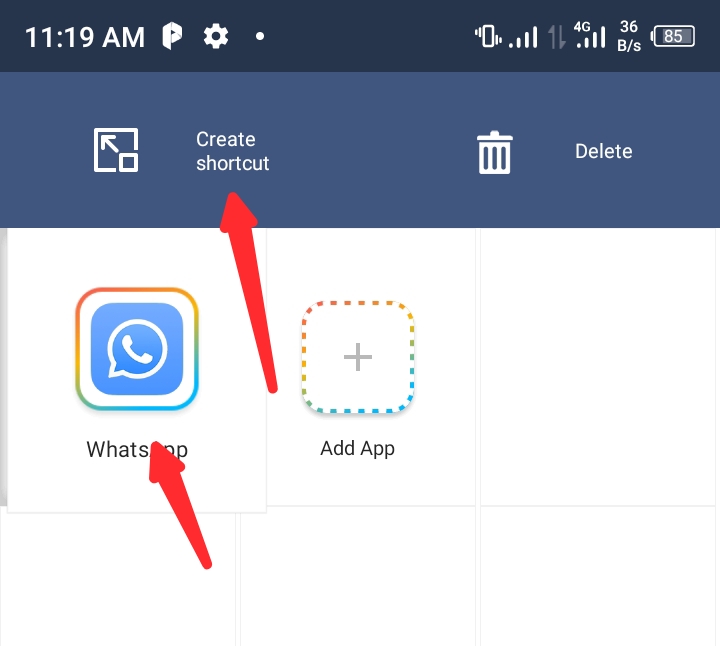
- Then tap on ADD

How To Delete Cloned Apk
- Open Parallel Space Pro
- Tap and hold on the Apk you create shortcut for then drag it to Delete

- After dragging, Tap on Delete to remove the Cloned APK

Want to stay updated? Tap the below buttons to join our members now.


Do you have any issues with this post? Use the comment box below to report any issues related to this post, including broken links, and you will be replied as soon as possible. You can also contact us on telegram.