
Currently Blazing, this is yet another unlimited free browsing cheat mainly for our users in South Africa.
You can now enjoy free unlimited data on your MTN SIM with the use of the popularly known vpn – Ha Tunnel. We will be providing you below with a working lifetime configuration file which can be used to stay connected unlimitedly.
REQUIREMENTS TO ACTIVATE 🇿🇦 MTN UNLIMITED
- 🇿🇦 MTN 0.0kb SIM
- Ha Tunnel Vpn
- MTN UNLIMITED Configuration File – Download below
NOTE: The file you are about to download below only works for MTN Users in South Africa
 NOTICE

How To Setup 🇿🇦 MTN UNLIMITED On Ha Tunnel
- After you have downloaded the vpn and the configuration file,
- Open Ha Tunnel Plus Vpn
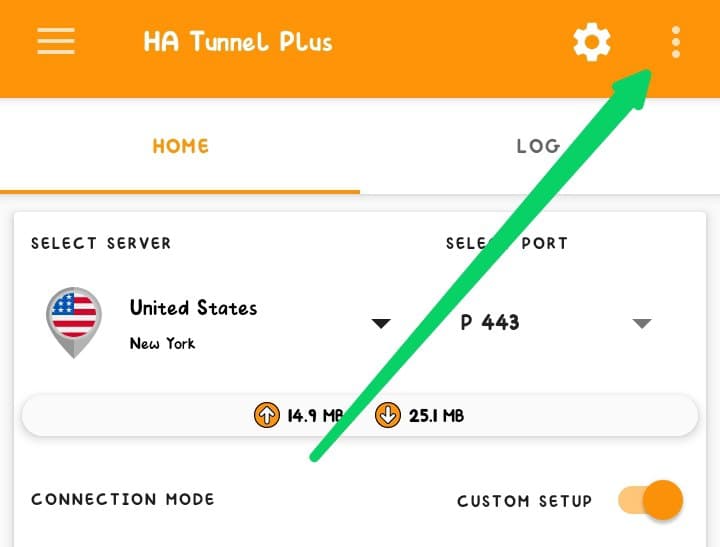
- Tap on the THREE DOT at the top right corner of the vpn

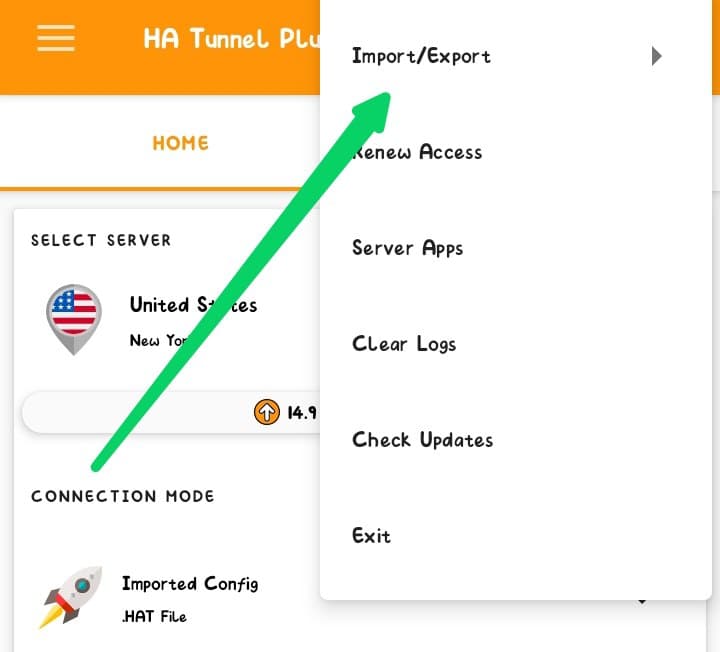
Tap On The Three Dot - Tap on IMPORT/EXPORT

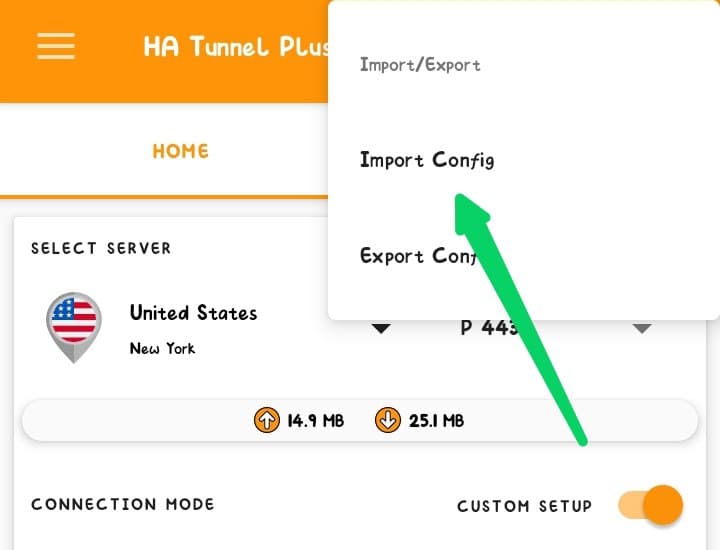
Tap On Import & Export - Tap on IMPORT CONFIG

Then Tap On Import Config and select the file you downloaded above - Go to the folder you export the zipped file to and import the 🇿🇦 MTN UNLIMITED configuration file
- After successfully importing, tap on START

Tap On Start To Connect, Minimize and enjoy - Wait for few seconds for it to connect then minimize the vpn and enjoy but before doing that…
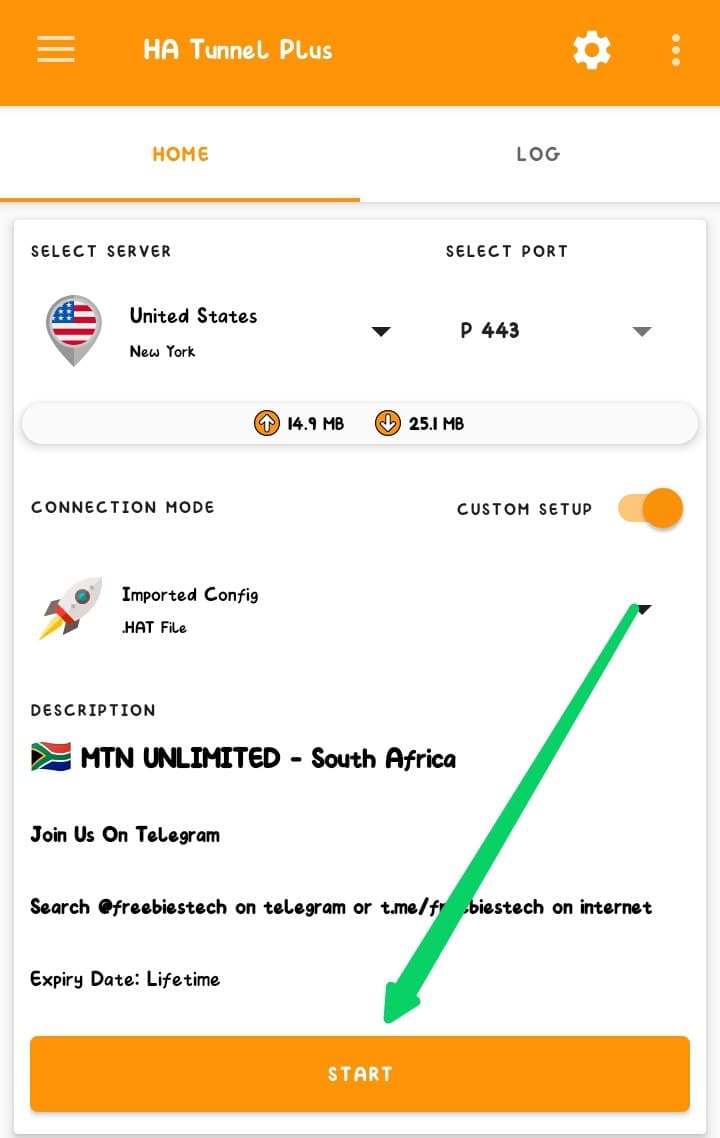
NOTE: You will notice that once you start the vpn and it connected, it will tell you 30 min left. Once the times runs out, the vpn will stop connecting. To add more time to the vpn, check below…
How To Add More Time On Ha Tunnel Plus Vpn To Increase Connection Time
- On the vpn after you have connected successfully, Tap on the three dot at the top right corner of the vpn
- Tap on RENEW ACCESS
- Then tap on WATCH VIDEO – FREE
- Watch the Ads to the end until you see THANKS FOR SUPPORTING US
- Then Cancel the Ads, It will give you 6 hours connection time more.
- To add more 6 hours, Repeat the process
- Minimize the app and enjoy once you are satisfied with the time you added
How To Share Ha Tunnel Plus Vpn Connection With Hotspot
Want to stay updated? Tap the below buttons to join our members now.


Do you have any issues with this post? Use the comment box below to report any issues related to this post, including broken links, and you will be replied as soon as possible. You can also contact us on telegram.